
Transform Text & Images into Videos with These Trending AI Video Effects
FrameCue AI provides a variety of innovative AI video effects, including AI Kiss, AI Hug, AI Inflate, and more. Unleash your creativity now with these trending AI video generators!
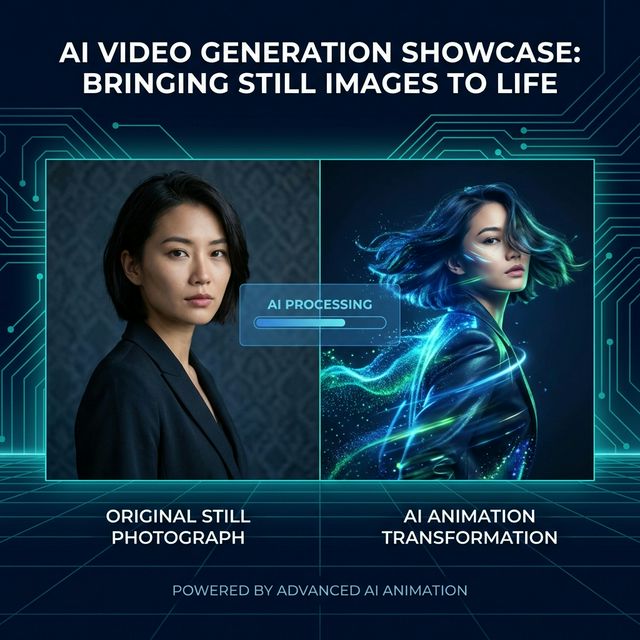
Bring Still Images to Life with AI-Powered Animation
Transform any photo into captivating motion. Our AI breathes life into static images—anime art, oil paintings, or real photos. Upload your image and watch as AI preserves every detail while adding fluid, natural movement.
Works with Any Style
From cartoon to photorealistic, AI adapts seamlessly.
Perfect Consistency
Maintains expressions and backgrounds accurately.
Turn Ideas into Videos with AI
Generate captivating videos from text prompts or images in seconds. FrameCue AI empowers you to turn ideas into high-quality visuals without editing experience. Control the look and feel of your video by modifying the prompt, animate a still photo into a dynamic clip, or access powerful models like Veo 3.1 and Seedance to create short-form videos, product showcases, or social media content with ease.
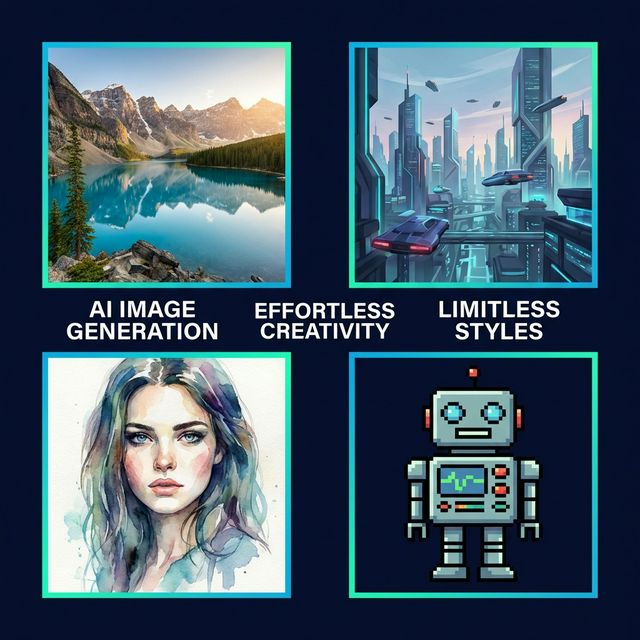
Effortless AI Image Generation for All
Turn your ideas into stunning visuals in seconds with AI. Simply describe what you envision, and watch as FrameCue AI generates images that bring your concept to life. Need precise results? Upload a reference image to maintain style consistency and control the output. Go beyond basic generation—apply artistic filters and effects to transform any photo into sketches, anime art, oil paintings, watercolors, pixel art, and more. Fast, intuitive, and endlessly creative.
Frequently Asked Questions
FrameCue AI is an all-in-one AI platform for image and video creation. Generate images, create videos, enhance quality, and more—with a comprehensive suite of tools designed to produce high-quality visuals effortlessly. Whether you're working on personal projects or professional content, FrameCue AI helps you create stunning results—fast, simple, and hassle-free.
Yes, FrameCue AI is designed to be user-friendly, making it suitable for both beginners and professionals. Its intuitive interface and powerful AI tools enable users to create high-quality designs without prior design experience or learning costs.
Getting started is easy. Just open FrameCue AI in your browser, choose the tool you need, and enter a prompt or upload an image. It's beginner-friendly and takes only a few seconds.
No. FrameCue AI is built for everyone. Its intuitive interface allows anyone, even without design experience, to create professional visuals quickly.
What is FrameCue AI?
FrameCue AI is an independent creative studio for generating videos and images from prompts, reference images, and visual ideas. It brings text-to-video, image-to-video, AI image generation, and video effects into one simple workspace so creators can move from concept to finished visual without managing separate tools.
Why Choose FrameCue AI for AI Video Generation?
FrameCue AI is designed around practical creative workflows. You can start from a text prompt, animate a still image, create an AI image, or explore video effects from the same account. The interface keeps model selection, aspect ratio, duration, and output settings clear, so the experience feels like a product rather than a raw model wrapper.
The platform integrates third-party creative models such as Seedance, Veo, Nano Banana, and other image or video tools where available. Model names are used only to identify available generation options; FrameCue AI remains an independent product with its own interface, billing flow, moderation controls, and user experience.
Key Features of FrameCue AI
- Text-to-Video: Turn written concepts into short video clips for social media, product visuals, ads, and creative experiments.
- Image-to-Video: Animate reference images while preserving composition, style, and subject identity where supported by the selected model.
- AI Image Generation: Generate or edit still images from prompts and reference images for campaign assets, thumbnails, and creative drafts.
- Flexible Output Settings: Choose aspect ratio, duration, resolution, and model options based on the content you want to produce.
- Content Safety Controls: User prompts are screened before image or video generation to keep the production flow aligned with content safety requirements.
How FrameCue AI Works
To create a video or image, choose a tool, enter a prompt, upload a reference image when needed, and select the output settings. FrameCue AI checks the prompt through moderation before sending an approved request to the selected generation model. This keeps the creative flow simple while adding the safety controls expected of a production AI platform.
Once the task is created, FrameCue AI tracks the generation status and returns the result when processing is complete. You can use the finished visual in personal projects, marketing materials, product showcases, or social content according to the applicable terms and content policy.
Use Cases for FrameCue AI
Content Creators: Create short-form videos, visual hooks, intros, and style experiments for social platforms without starting from a blank editing timeline.
Marketing Teams: Test campaign visuals, product scenes, and ad concepts quickly before committing to a full production workflow.
E-commerce Businesses: Turn product images into motion concepts, lifestyle scenes, or visual drafts for storefronts and promotional content.
Designers and Creative Operators: Explore directions, generate references, and move faster from idea to shareable visual.
Getting Started with FrameCue AI
Getting started is simple: open FrameCue AI, choose the creative tool you need, enter a prompt or upload an image, and generate. New users can explore the workflow with free credits before upgrading for heavier usage.
FrameCue AI is built to make AI visual creation approachable without hiding the controls that matter. You can keep the workflow simple, or tune model, ratio, duration, and prompt details when you need more control.
A Model-Agnostic Creative Platform
AI creation tools are evolving quickly, and FrameCue AI is designed to adapt. As new image and video models become available, the platform can add them as integrations while keeping a consistent product experience, safety layer, and creative workflow for users.